January
1
How to locate a device using mac address in Cisco switch
- log into Cisco switch Ping device’s IP address first and

- find the mac address using show arp | include 99 (note: use include to filter the output)

- use show mac address-table | include 8cce (note: use part of the mac address to filter the result)

- Here, we know that the device is connect to port 9
Note: if the one switch is connected to another switch, we can use show cdp neighbors and show cdp neighbors deail to find out the ip address of the connected switch 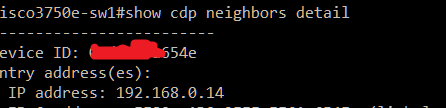 .
.