August 29

Create Mac Computer Mobile Account Manually

Open Terminal

Sudo /System/Library/CoreServices/ManagedClient.app/Contents/Resources/createmobileaccount –v –P –n networkusername

usage: createmobileaccount -n username [-h homepath] [-P | [-p password]] [-e] [-q] [[-x] | [-X]] [[-s] | [-S]] [-u syncURL] [-t urlPath] [-d] [-v]
-n username : user record name.
-h homepath : user home path; Default is “/Users/<username>”.
-p password : user password.
-P : prompt for user password. A user password is required to create a FileVault home.
-e encrypt : encrypt new home with FileVault.
-q quota : max size in bytes of FileVault home.
-x : create as external account on non-boot volumes. Default.
-X : create as mobile account account non-boot volumes.
-d : disable external account creation.
-s : set home sync on if home created.
-S : set home sync off if home created. Default.
-u syncURL : server target of home synchronization.
-t urlPath : additional path after syncURL.
-v : verbose output.
Examples:
createmobileaccount -n testname
createmobileaccount -v -P -n testname
createmobileaccount -vsxn jsmith -h /Volumes/HD3/jhome
createmobileaccount -vsxn jsmith -h /Volumes/HD3/jhome -u nfs:/server.apple.com/bigs/homes -t myusers/macos/jhome
Notes:
– createmobileaccount must run as root.
– If you do not specify a password, the account’s cached password will be created during the account’s first log in.
Category: MAC | LEAVE A COMMENT
August 3

Windows 10 Start Menu Not Working in One Account But Working on A New Created Account

Problem:  

One user can not use Start Menu and settings. So I created a test account, the test account has no problem use stat menu and settings

Solutions:

If a new created user account has no problem to use the start menu and settings, that tells me that the Windows system might be  OK. The “bad” user account might have a corrupted profile.

1: Log in as the new created user.

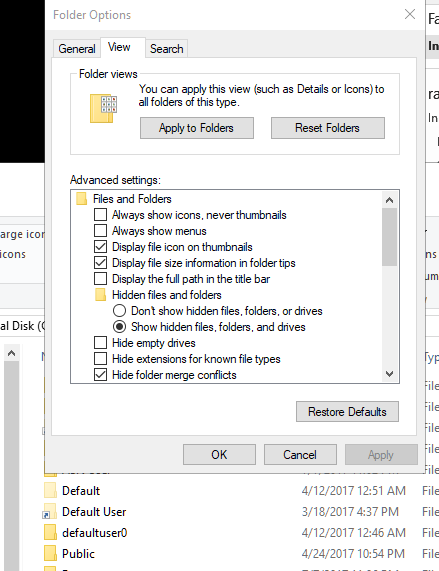
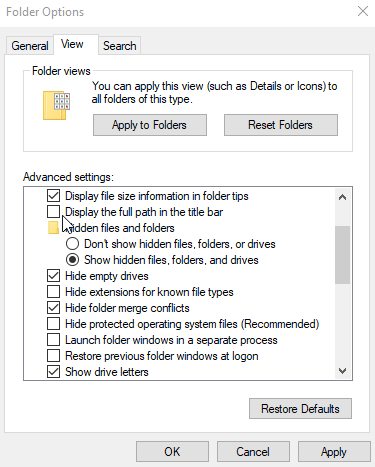
(You need to create a second Admin account to do this.) You need to enable “show hidden files….” and disable “Hide protected operating system files”


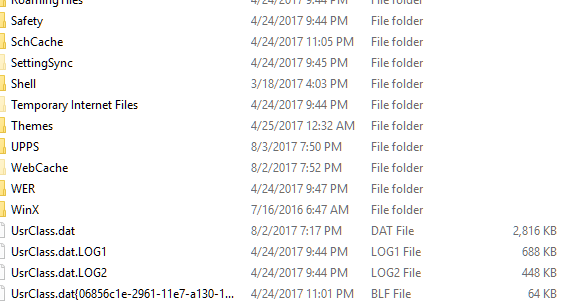
2: Go to c:\users\bad-user name\appdata\local\Microsoft\Windows find UsrClass.dat  rename it UsrClass-old.dat

3: Restart the computer

The problem should be resolved.


Category: Windows | LEAVE A COMMENT
July 10

a New Windows 10 Created User: taking long time to login

Problem:

Windows 10, Newly created user:  First login, “This might take several minutes…”  “It’s taking a bit longer than expected, but we’ll get there as fast as we can”

You can wait a long time 15-3o mins to create this user. Login as the new user, the task bar is not accessible.

Reason: the default user profile is corrupted.

Solutions:

1 using a working account,  login as Admin,

2 rename c:\users\ default folder as default.old (you need to enable “show hidden files, folder, and drivers” to see the default folder)

3 unzip this default profile to c:\users to replace the corrupted default profile folder.

4 reboot the computer.

5 create a new user account.


Category: Windows | LEAVE A COMMENT
July 6

Change a hijacked Safari Settings

Problems: A hijacked Safari, it opens pop-up windows, you can not close it.

Solution:

Quit the application. Force quit if necessary.

Open it by holding down the shift key and clicking its icon in the Dock. From the menu bar, select

Safari ▹ Preferences… ▹ Privacy ▹ Remove All Website Data

You might want to run a virus scan on the infected mac.

Category: MAC | LEAVE A COMMENT
May 21

How to Read Windows Worn off Product Keys

1 Download Key Generator unclear key finder. This is a php file, put the characters you are not sure about in the arrays.

   the only possible characters are these (others are rejected): 2 3 4 5 6 7 8 9 B C D F G H J K M P Q R T V W X Y

For example, TGTVX-QXBBJ-MJBMF-PBB4R-FMTT6 (if you are not sure if the last digit is 6 or G, you can use array(“G”, “6”), in the script)

2 Upload the finished php file to the root of your web site, then type yoururl/test.php in your web browser, it will generate all the possible keys.

3 Copy all the keys to a text file, and then using excel to convert it to a text file that has one key per line.

4 Download Ultimate PID Checker 

5 Select the product and link the converted text file to PID checker.

6 Pay attention to the result, it will display the correct key info if it  “finds” the valid key.


Category: Windows | LEAVE A COMMENT
May 7

Unlock Hard Drive ATA Password

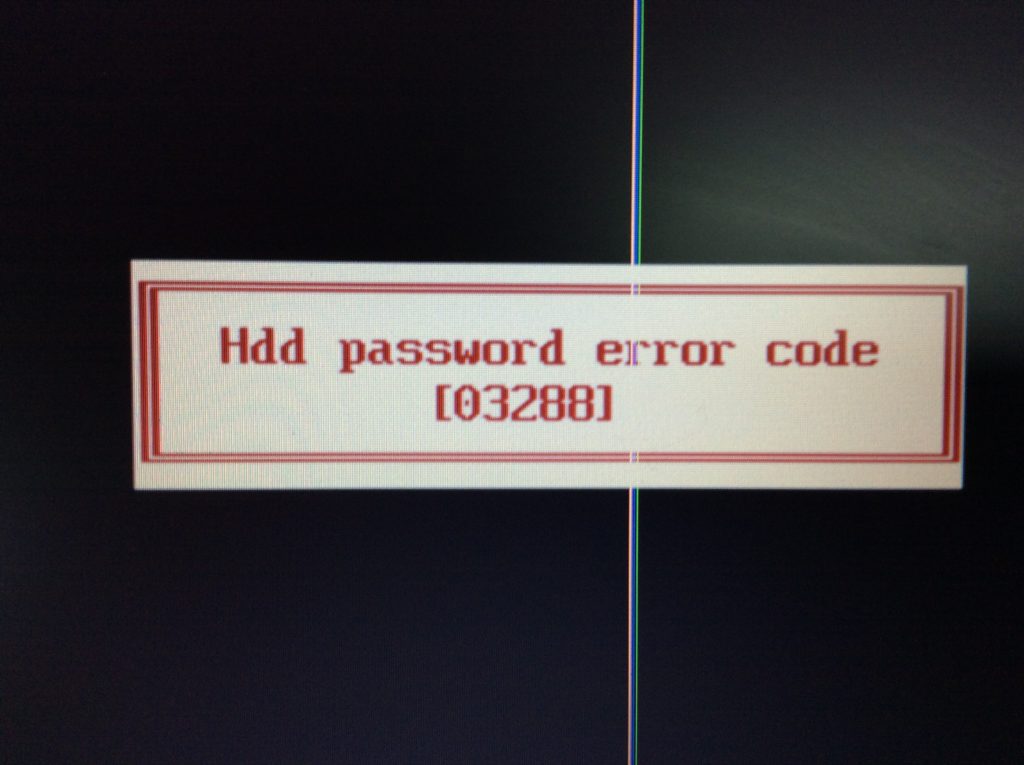
This method works only if the BIOS generates a error code after entering a wrong HDD password 3 times.

1 download hreset.exe

2 create a boot-able USB disk using Rufus and place hreset.exe in the drive.

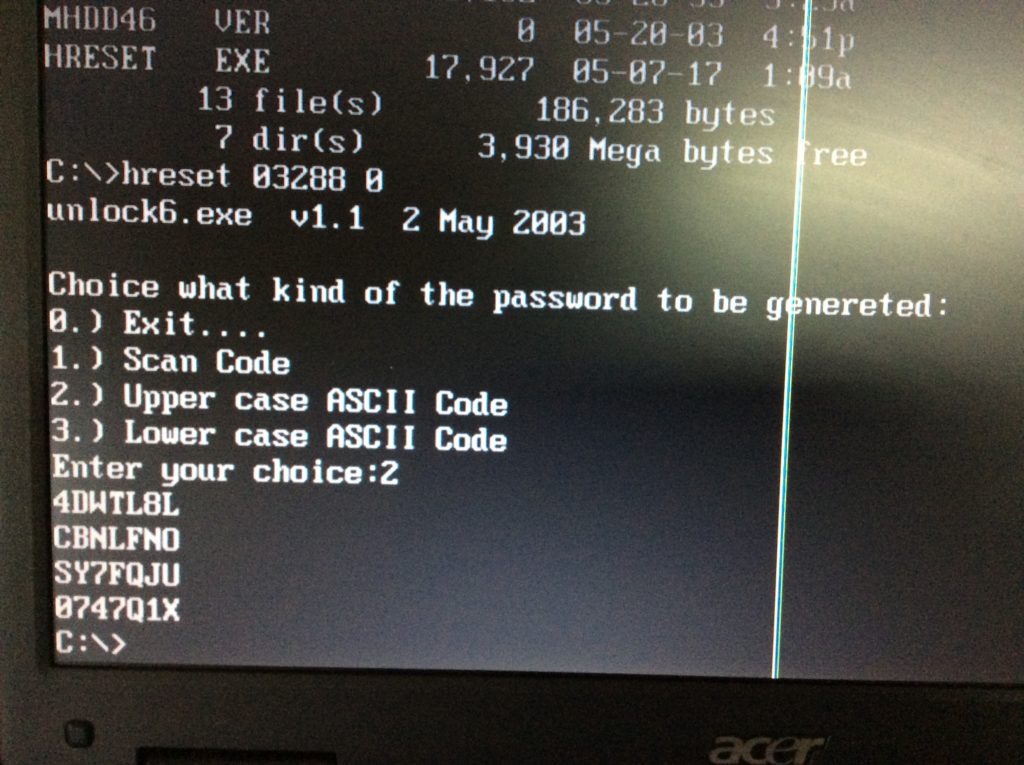
3 boot the computer and get into DOS mode and enter the following command   ( hrreset   the error code  0; option 2)

4 use the generated code to unlock the hard drive in BIOS (for example, in this case, 4DWTL8L)